Beginner Graphics Programming Study Guide
This is a roadmap for learning the basics of graphics programming on one’s own, from free online resources.
Introduction
About
This is a roadmap for learning basic graphics programming on one’s own, from free online resources. While graphics as a field isn’t tied to any specific programming language, tool, platform, or graphics API, for this guide I’ve chosen to use:
-
C++: Programming language in which CPU side code is written; the bulk of what we call programming tends to just be CPU programming. -
clang/g++: Compiler taking C++ sources and converting them into executable/linkable binary files. -
CMake: The build system, used to generate OS+hardware specific build commands for any platform with the tools available there. Used in a lot of open source (and even closed source) projects. -
SDL: Library that provides a simple uniform interface to operating system specific APIs: requesting window textures, handling window events, querying inputs, and so on. -
OpenGL: Graphics API supported on all platforms. Simpler than modern APIs, but with a lot of historical cruft.
While it can be argued that there are better substitutes for each item on this list, I’ve chosen them because of their popularity and wide availability of learning resources. Feel free to substitute any or all of these for equivalent material of your choice.
What is graphics programming?
Graphics programming is the art of taking in specially formatted data representing visual information and converting it into instructions for forming a coherent image on a monitor.
Hardware
Broadly, there are 4 pieces of hardware involved in rendering an image to the screen:
-
CPU: Computer unit executing instructions linearly. It is very good at this, and works very closely with memory to accomplish its tasks. Also responsible for orchestrating activities primarily executed on other devices via memory.
-
Memory: In programming terms, this is a massive array of linearly indexed values, used to store both program instructions and data. Quite often, it also acts as the means of communication between the CPU and other devices making up the computer.
-
Video Monitor: Provides a 2D array of lights (LCD, OLED, you name it) that can be updated by the computer at some set frequency. The value stored in each cell of this array causes the corresponding light to emit a certain color at an intensity proportional to the value.
-
GPU: SIMD (single instruction multiple data) device capable of executing the same instruction with huge chunks of data simultaneously. Each GPU core individually is weaker than a CPU core, but for certain tasks like graphics, is capable of performing a massive volume of computations (measured in FLOPS, floating point operations) over a short period of time.
Software
Any program that renders anything to the screen, 3D or otherwise, will perform the following set of steps:
-
The application requests the operating system for a “window” – a 2D array of RGB or RGBA pixels that the application’s GUI can be drawn on.
-
The CPU reads or generates data intended for being rendered to the screen into memory. What this data is depends on the domain of the application.
-
For 2D, this usually means 2D coordinates (2-float values), textures (images conforming to some constraints), text (which are also often just 2D coordinates on a specialized grid).
-
For 3D:
-
3D models made up of a list of 3D coordinates where each coordinate is defined as 3-float values, each float value representing a position on the X, Y, or Z axis.
-
Faces; indices referencing items in the 3D coordinate list, where every 3 coordinates make up the corners of a triangle.
- Why triangle? Provided the points aren’t colinear, any 3 distinct points are guaranteed to lie on a single plane.
-
-
-
The CPU (running application + OS) then pushes this renderable data into GPU memory, along with the GPU program that should process that data.
-
The GPU processes this data according to the program, and writes the results to the 2D array of values provided by the monitor.
-
The monitor reads the values in the array and changes the colors and intensities of its light grid as specified. How often this happens depends on the refresh rate of the monitor; a monitor with a rate of 60 Hz will perform this update 60 times a second.
These steps take place as many times as is needed for the program, constrained by the refresh rate of the monitor.
Steps 3-5 are what we might call graphics programming. Everything that takes place between when an application developer specifies what data should be rendered, to the monitor updating the colors it displays, is up to the graphics programmer to define.
Step 2 is generally configured by the application itself. For a browser application, the data to be rendered is specified in the form of HTML+CSS documents. For video games, the data is 3D model files, animation files, textures, and, confusingly, shader programs.
Study Recommendations
Each topic in the roadmap is worth comprehending deeply on its own, but it is extremely important that you have a working knowledge of all of it even as you focus on a particular part. Keeping that in mind:
-
Have a regular schedule for studying this material, with as few gaps between sessions as possible. The longer you go without touching the material, the more likely it is that you will need to retrace old steps.
- Small but frequent sessions are preferable to large but rare sessions.
-
Try alternating sessions between two unrelated subjects, eg., C++ and linear algebra, graphics and data structures, and so on.
-
Focus on each subject until you reach an intermediate level of proficiency. A good benchmark for this: you should be able to deduce by looking at a sample of someone else’s code in that subject what that code is intended to do.
-
If, as you work on one item (say graphics programming), you encounter something you forgot from another domain (say linear algebra), stop progress on the current subject and do a revision of the old subject. The more often you do this, the less time the subsequent revision will take. Return to the old subject once done.
-
Do not implement anything that you don’t understand. This includes code copy-pasted from guides, forums, or LLMs. If you must copy a solution you find online, copy the solution by typing, and assure yourself that you understand what you are copying.
-
Implement most things you learn in a single project. It’s quite likely that you’ll need to rewrite the project several times to accommodate or demonstrate new features, or to make your project extensible. It might be easier to start a new project, but my view is don’t. The rewrites will help you improve your software architecture skills. Pay attention to:
-
The times that you find yourself rewriting the same set up code over and over again – can it be moved into its own class or function?
-
The times that you struggle to add new features to your project; can you arrange things so that the process is more straightforward in the future? If you try and fail, what went wrong? Did you over or under-specify an abstraction?
-
Remember, the point is not any particular question that you are able to answer or feature that you’re able to program, but to build a solid mental model of the domain you are working in: computer engineering and geometry.
Materials
Roadmap
How long will it take you to learn everything? While I can’t say for sure, these are the numbers from my self-tracking sheet:
- C++ (including tools): 116 hours
- Math: 172 hours
- DS & Algos: 83 hours
- SDL: 61 hours
- Graphics: 317 hours
This was over the course of about half a year or so.
Depending on your familiarity with each subject, it might take you more time, or less. Either way, you’ll always be revisiting each item from time to time, so don’t sweat it if you forget something small. Mental model building is more important than remembering small details initially.
The order I recommend learning the material is:
-
Programming: C++ - Can’t do anything without it
-
Programming: Git - You’ll need it eventually, might as well start early
-
Programming: CMake - This is what you’ll be building your project with
-
Math: Linear algebra
-
Math: Projective geometry
-
Programming: Data structures and algorithms - Interviews and smart programming choices
-
Programming: SDL - Lightweight platform agnostic GUI program building library
-
Graphics - Everything
Feel free to do Programming and Math topics simultaneously, and finish them before you move on to graphics.
General Programming, Frameworks, Tools
C++
This is worth learning because it’s practically industry standard to write programs in it, and there is a wealth of learning resources available for when you get stuck. That said, it’s probably one of the hardest languages to learn because of how easy it is to shoot yourself in the foot if you don’t know what you’re doing.
Here, by far the most important resources are Learn C++ and How is a ‘Hello World’ Compiled in (MinGW)GCC. The first is about the language itself, the second about what compilers, linkers, source files are.
-
Learn C++ - A series of lessons in the use of C++
-
Go through each chapter in-order
-
Pay attention to the nuances of the language, eg., the difference between
const std::shared_ptr<MyClass>vs.std::shared_ptr<const MyClass>vs.const std::shared_ptr<const MyClass> -
Pay special attention to constructors, move vs. copy semantics.
-
Feel free to study or drop generics. I’ve found them incredibly helpful, but many dislike their complexity.
-
-
(optional, advanced) C++ Templates and Metaprogramming - Medium article talking about templates and their uses, including some slightly advanced metaprogramming idioms.
-
While this is labeled advanced, it covers only the most common idioms used in metaprogramming.
-
This is worth looking at even if you never intend to use them because of how frequently you’ll encounter them in the wild.
-
-
(optional, advanced) Modern Template Metaprogramming - The first of a series of video talks about the power of C++’s generics.
-
Warning: some of the things enabled by template metaprogramming are intended to be replaced by a new C++ construct called concepts. That’s still years away from becoming mainstream, but still worth keeping in mind.
-
If you start learning this, chances are that you already know why and are beyond the point where you’re using templates to make simple generic functions and classes.
-
Goes into how and why templates enable the features they do.
-
-
How is a ‘Hello World’ compiled in (MinGW)GCC? - A series of articles exploring the results of compiling a simple program using a popular compiler.
- This is worth looking at and revisiting from time to time to get a decent idea of how your code in any language turns into machine executable instructions, and what the hell libraries, programs, linkers or compilers even really are.
-
(advanced) How To Write Shared Libraries - Ulrich Drepper - A multi page document talking about the structure of shared libraries and binaries in general.
-
No reason to read this end-to-end, but it’s still good to have a vague idea of how binary executables and libraries are linked.
-
This talks about the ELF header, which is a section in linux binaries describing how they are to be linked together. Other platforms will have their equivalents, but all platforms share similar considerations, which makes this worth at least glancing at.
-
Data structures and algorithms
Important for interviews, but also important for programming in general. It’s good to know, at least vaguely, how different containers structure data so that you can better reason about which one to use in your application.
While learning C++ itself, you’ll also want to run through the interview questions in parallel to get a feel for how to solve problems with the language.
Most of your learning will probably happen through random google searches while solving problems.
-
Introduction to Data Structures - Index of data structures and algorithms tutorials. Use as reference while solving programming challenges in LeetCode.
- Look up each structure individually, use standard implementations when available, but consider how you would implement them yourself. Try to do so at least once.
-
LeetCode Top Interview 150 - A list of 150 programming puzzles designed to test basic data structures and algorithms knowledge.
- Even if you successfully solve a problem, take a look at what other people have written, and try to see why they’ve done what they’ve done, and why it works (or doesn’t).
Frameworks & Tools
-
Bash Tutorial - If you’re on Linux or MacOS, you’ll want to read this. You’ll be spending quite a lot of time at the command line.
-
PowerShell 101 Introduction - If you’re on Windows, you’ll want to read this. You’ll be spending quite a lot of time at the command line.
-
Pro Git - Extremely popular versioning tool.
-
This barely requires an introduction. If you have a project, and you want to be able to roll back to an older version when a new version breaks something, this is your tool. If you want to collaborate with several other developers, again, this is your tool.
-
Chapters 1-3 are by far the most important. 7 is worth looking at, but not essential. The rest are less broadly applicable, so study them at your own discretion.
-
-
Makefile Tutorial - Used to create recipes for the creation of specific files that depend on some process being applied to other files.
-
This is just short of a full build-system, a program that processes a description of your project in order to determine how to build it. Other languages ship with their own build system, but C++ has multiple options in this regard.
-
Technically, CMake takes care of creating Makefiles for you, but it’s still worth knowing how they work, and how you can set up your project to be compiled using one.
-
-
CMake Tutorial - A guide to perhaps the most ubiquitous build system for C++.
-
This is where you actually tell your project about your program’s sources and dependencies, and how they are to be compiled and linked. CMake takes care of using the tools on your platform to actually build the program.
-
While it isn’t officially bundled with other C++ tools, it might as well be. Most C++ projects primarily use this, or at least provide support for it in some manner.
-
-
Beginning Game Programming v3.0 - This teaches you SDL 3.
-
SDL is a compatibility media library suite that allows you to do basic things on all platforms: read input, create windows, load textures, render fonts, measure time, request an OpenGL context, and so on.
- Otherwise, you’d have to look into how to do those things yourself for each platform (Windows, Linux, MacOS). It’s not impossible, but it is tedious, and a program you write for one platform won’t work for another.
-
Math
-
Linear Algebra - Khan Academy - Best linear algebra learning material available online, no notes.
-
Study until Unit 3: Change of Basis.
-
Why? Don’t take it on faith that a matrix does what you think it does, know it for sure instead. Knowledge is freedom.
-
Pay particular attention to:
-
Composing linear functions by multiplying matrices.
-
Deriving a matrix for performing a specific function (or even figuring out whether such a matrix can be derived).
-
Vector representation of common parametric shapes (eg., lines, planes, spheres).
-
Relationship between dot and cross products.
-
Inverting a matrix (and what that means).
-
-
-
Model View Projection - J Santell - High level overview of what the most commonly used matrices in 3D rendering actually do.
-
Each matrix serves a distinct purpose here.
-
Model - Moves an object’s vertices to its world space coordinates
-
View - Moves all world space vertices into camera space
-
Projection - Performs perspective projection, rebasing camera space coordinates to clip space
-
-
-
The Perspective and Orthographic Projection Matrix - Talks about how the perspective projection matrix is actually derived.
- Very important.
-
(advanced) Homogenous Coordinates - Talks about what that extra component in a position or direction vector actually means.
- Again, why take it on faith that you set a 1.0 for points and 0.0 for vectors in the w-coordinate when you can know for sure what it actually does?
-
Euler angles and gimbal lock - A video demonstrating why euler angles are insufficent for describing 3D rotations.
- Why quaternions? This is why.
-
Visualizing the 4d numbers Quaternions - Very cool video talking about what quaternions are, how their math works, and how they can be used to specify rotations in 3D.
-
Visualizing quaternions - An explorable video series
- A continuation on the last link. Allows you to interact with quaternion visualizations and talks a little more about quaternions in rotations.
-
Geometric Algebra - Linear and Spherical Interpolation (LERP, SLERP, NLERP)
- Given some 3D stuff in 2 states, how do you interpolate between them (for example for smooth animation)? This is how.
Graphics
Even if you decide to learn an API other than OpenGL, I’d still recommend implementing the techniques in Learn OpenGL in your API of choice.
-
Graphics Pipeline and Rasterization - MIT Opencourseware
-
Basically: We evaluate the triangle at each pixel. If pixel touches triangle, create a fragment, otherwise, don’t.
-
This is what happens after your vertices are transformed into clip space. You don’t manually do this yourself, but this is what your GPU does between the vertex and fragment stage.
-
Bonus: What is raycasting? Why don’t we do that instead?
-
-
Graphics Pipeline - Cornell University
- Same as previous, but in even greater depth.
-
Learn OpenGL - One stop shop for practically everything you need to know for starting graphics programming.
-
Every tutorial here is worth going through.
-
As always, make sure you know exactly what you’re doing at each step. Don’t take any math on faith, understand what your matrix multiplications look like in each case.
-
Pay particular attention to the relationship between vertex buffer objects, vertex buffers, index buffers.
-
Credits
-
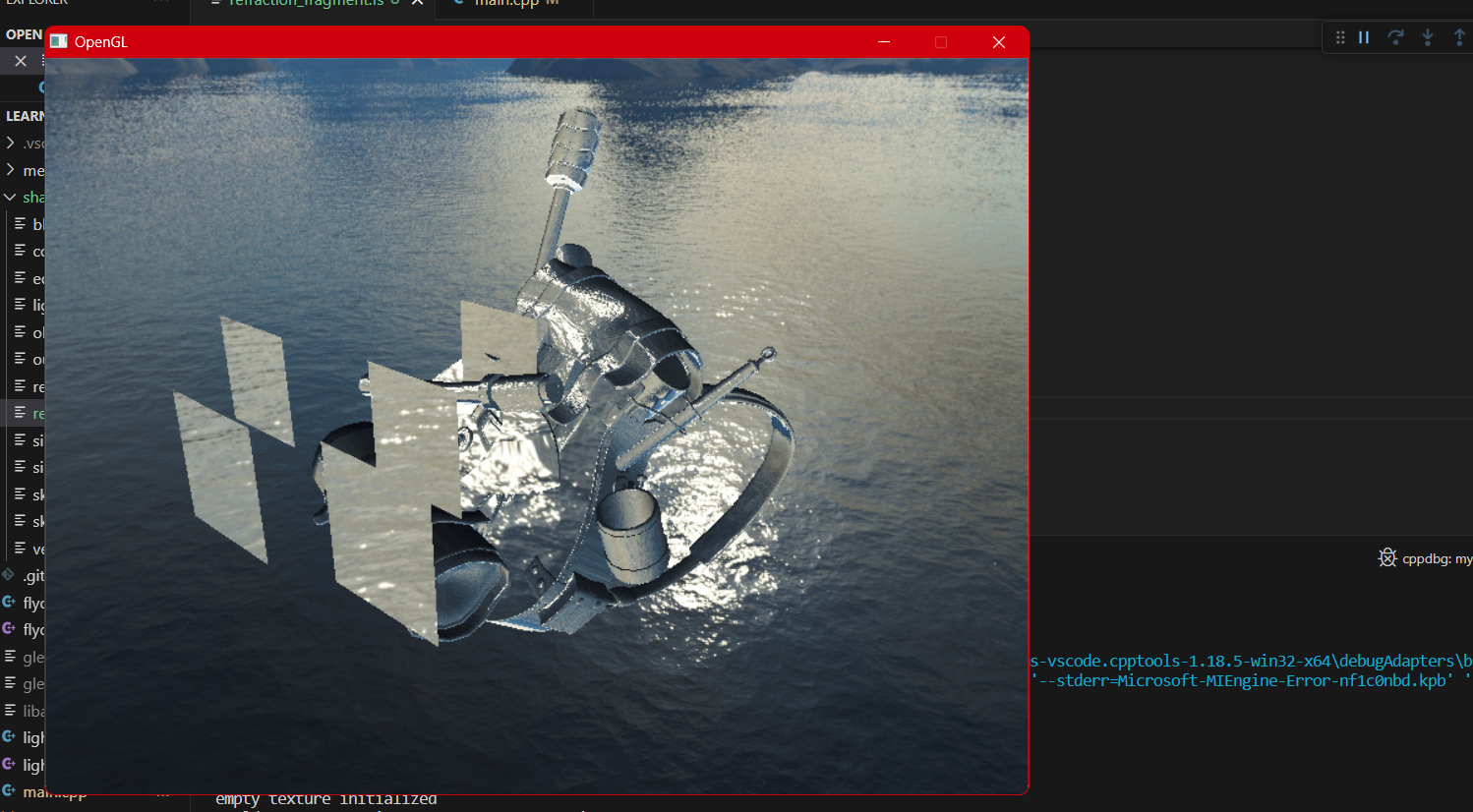
The backpack model in the cover was made by Berk Gedik.
-
The skybox model in the cover was taken from the Learn OpenGL chapter on cube maps.